New: 13 caption styles
Model Context Protocol

Jellypod MCP Server: Make Podcasts from Claude & ChatGPT

Jellypod MCP server: ask your AI assistant for a podcast episode, video, or short in chat, add research, track progress, and get the finished media back.
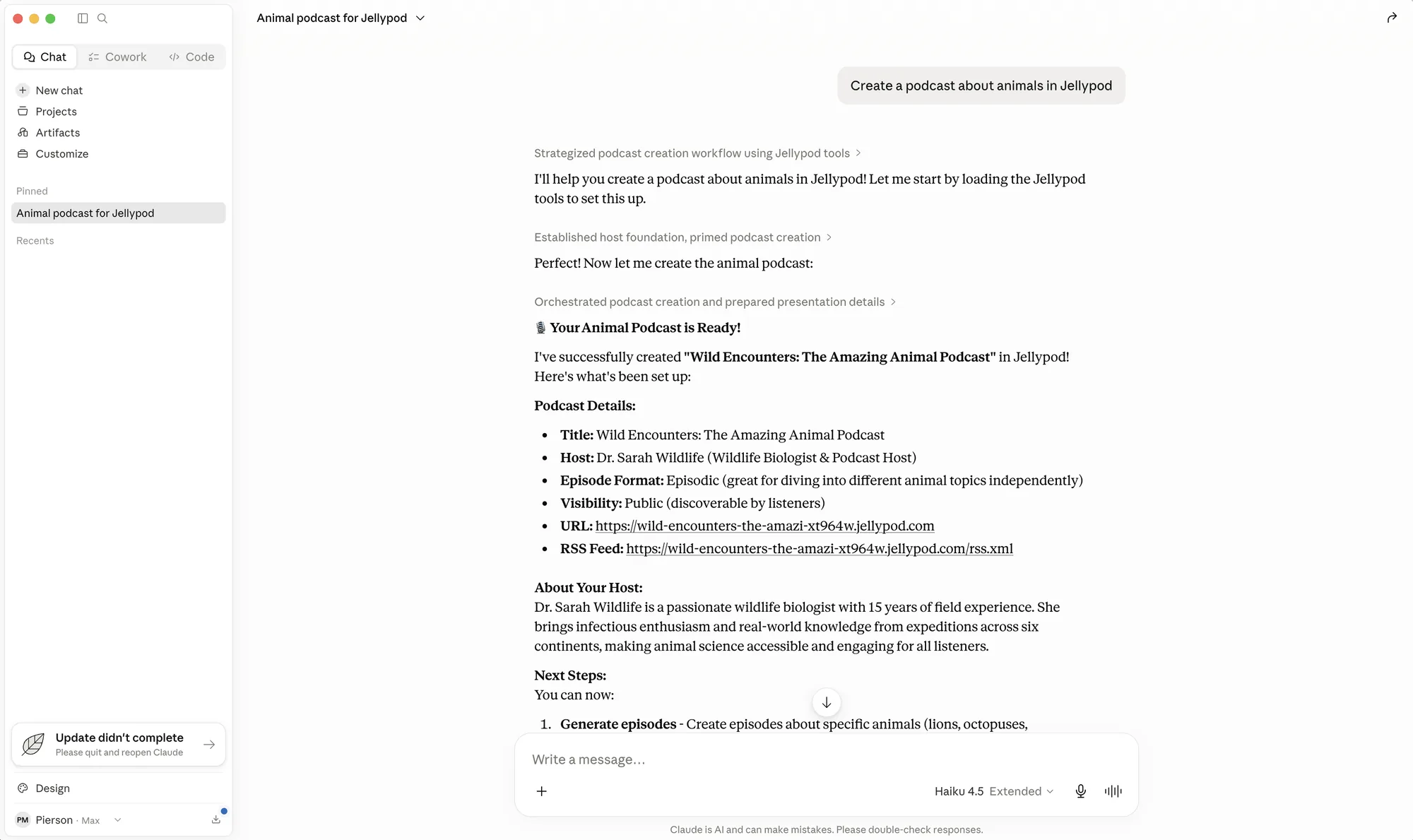
Creating a Jellypod podcast from Claude using the MCP connector

Works in the tools you already use

Pick your client to see its connection guide.

Make the episode in Claude

Claude turns a brief you already have into a draft, and it stays unpublished until you ask.

  1. Add the server and sign in with OAuth. Claude Code uses it too.
  2. Ask for the episode, or for a Friday 9am publish.
  3. Listen to the draft before it goes on your feed.

Make the episode in ChatGPT

ChatGPT drafts the episode from the chat where you plan the work.

  1. Turn on developer mode under Advanced settings.
  2. Add Jellypod and sign in with OAuth.
  3. Ask it to turn your outline into an unpublished draft.

More clients, one setting each

Copy the snippet, paste it in, and ask for your first episode.

  • Editor & Desktop

    Cursor

    Turn docs or release notes into an episode in the editor.

    Add the server under Tools and MCP, or use Add to Cursor, then sign in with OAuth.

    mcp.json

    {
      "mcpServers": {
        "jellypod": {
          "url": "https://mcp.jellypod.com/mcp"
        }
      }
    }
  • AI Assistant

    Perplexity

    Research a topic, then generate the episode.

    Add the server URL and sign in once.

    Server URL

    https://mcp.jellypod.com/mcp
  • Automation

    Gumloop

    Generation is one node. You add the publish step.

    Add the server URL and sign in with OAuth.

    Server URL

    https://mcp.jellypod.com/mcp
  • Editor & Desktop

    Raycast

    Draft an episode from a Mac keystroke.

    Add the server URL and an API key header (Creator plan or higher).

    Server URL and header

    https://mcp.jellypod.com/mcp
    Authorization: Bearer YOUR_API_KEY

Install

  1. 01

    Copy the server URL

    Copy it, then follow the MCP connector docs for OAuth or an API key.
  2. 02

    Remote clients

    In Claude, ChatGPT, Perplexity, Gumloop, or Dust, add the server URL and sign in with OAuth.
  3. 03

    Editor and desktop clients

    Cursor and VS Code take the server URL. Raycast adds an API key header. Local stdio clients use the mcp-remote shim.
  4. 04

    One-click install

Server URL

https://mcp.jellypod.com/mcp

Remote clients

{
  "mcpServers": {
    "jellypod": {
      "url": "https://mcp.jellypod.com/mcp"
    }
  }
}

Editor and desktop clients

{
  "mcpServers": {
    "jellypod": {
      "command": "npx",
      "args": ["-y", "mcp-remote", "https://mcp.jellypod.com/mcp"]
    }
  }
}

What your assistant can do

  • Read podcasts, episodes, videos, shorts, and voiceovers
  • Create podcasts and characters
  • Generate from a prompt or a script
  • Use a webpage, YouTube, or pasted text
  • Browse voices, video styles, and characters
  • Track progress, then play or download
  • Update titles and descriptions
  • Publish, schedule, or unpublish after review

The Agent guide covers failures. Upload original files in the studio or the API.

Frequently asked questions

What is the Jellypod MCP server?
It lets an assistant create media, track progress, and publish or schedule when you ask. The server URL is https://mcp.jellypod.com/mcp.
How much does it cost?
The connector is included. Generation uses the same studio credits.
Which AI assistants and tools work with it?
Claude, ChatGPT, Cursor, Codex, and other MCP clients. Without inline playback, you get a Listen or Watch link and a Studio link.
How do I authenticate?
Most clients sign in with OAuth. Others send an API key as a bearer token, on the Creator plan or higher.
What can the assistant access, and does it publish automatically?
Only content you can already open. Billing and deletion stay in the studio, and drafts stay unpublished until you ask.
My tool is not listed. Can it still connect?
Yes, if it supports remote MCP servers. Connect it with the Jellypod server URL.

Start creating with Jellypod today

Turn any idea, document, or link into editable, high-quality podcasts and videos. Reach global audiences in your own voice, in 121 languages.